

Introduction
In our age’s rush to make everyday life faster, easier, and more affordable for all, food delivery systems have taken off in leaps and bounds. Most people visualize Door Dash as something where a delivery eats up the bill for transporting a warm meal to your kitchen door, but home delivery isn’t always the answer. After all, what’s the use of a $10 dinner that costs an additional $15 to bring to your door? You’ll have to wait in a long pickup line at the end of a busy restaurant, have to leave a huge tip for the delivery person, and possibly receive cold, stale food.
That’s where the door dash pickup feature comes in handy. This new program is a clever middle-ground between online delivery and traditional takeout – with you collecting your order in person, but without the high charges or wait times at the local coffee shop counter.
Whether it’s cheap eats for your regular lunch routine, dinner on the way home from work, or finding rewards on every conceivable order, you can make your experience with the online food delivery program extraordinary with the help from this ultimate guide.
In this step-by-step manual, you’ll see how to self-collect your meals through the mobile application, learn about the incredible benefits these in-person pickups carry, and discover how to order with the largest possible range of promotions, bonuses, and discounts.
What Is Door Dash Pickup and How Does It Work?
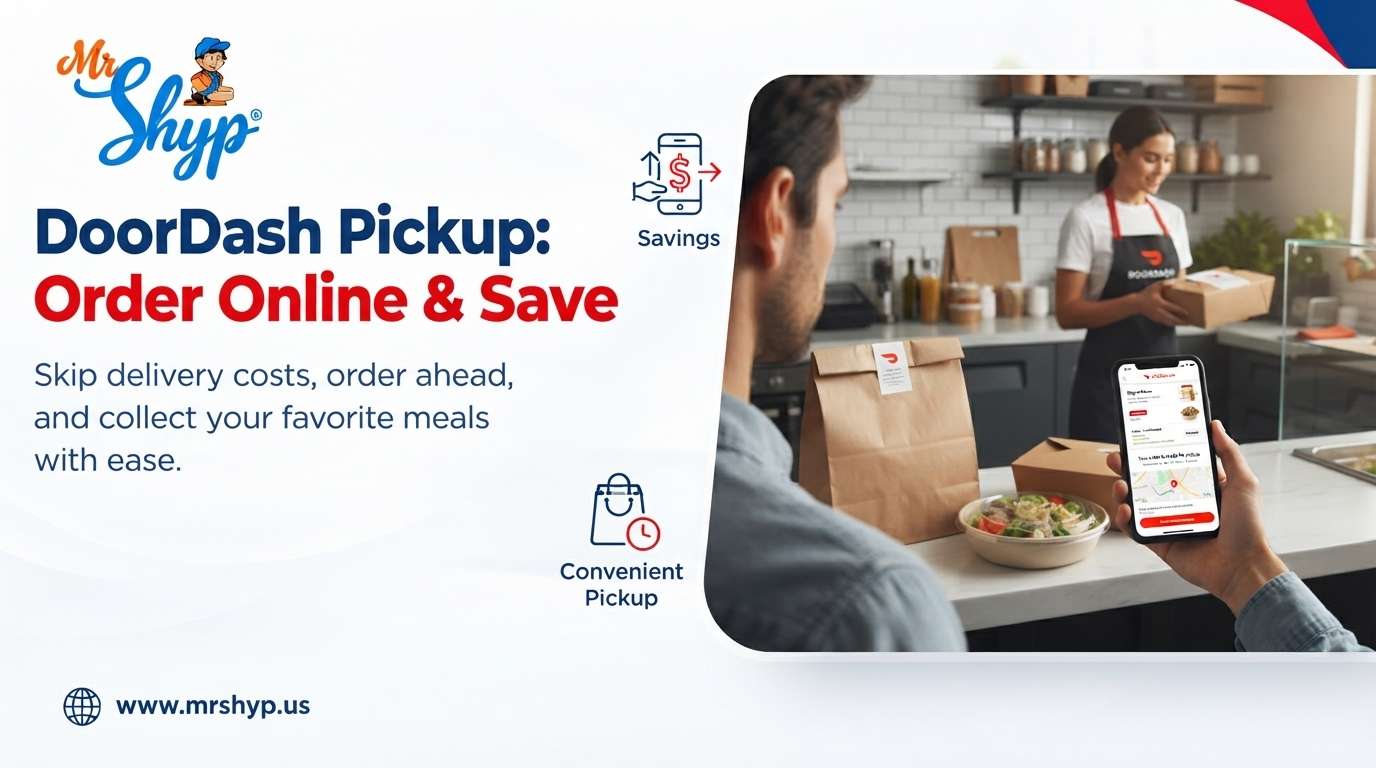
As mentioned before, door dash pickup is a new in-app option that allows you to search through restaurant menus, make your selections, pay for your order, and then physically collect your food from the establishment, instead of a delivery person bringing it to your door.
When you engage the pickup option in the Door Dash platform, the company acts as a simple middleman for you to order food or retail products from places that offer self-service collection.
You have full customization and flexibility of your typical Door Dash ordering screen, with the only difference being that no delivery person will be coming to your house or office.
The Exact Process Behind Self-Collecting Through Door Dash
-
Restaurant Search: Open your preferred method of accessing the application (mobile or browser), and toggle the “Delivery” tab to “Pickup“.
-
Menu Customization: Browse the food or retail options provided by local restaurants, and customize your order as you would a typical food delivery through the company.
-
Payment Selection: Finish finalizing your order and pay for it using your preferred method of payment. When you reach this stage of the process, you’ll see that delivery charges and gratuities no longer apply to your order.
-
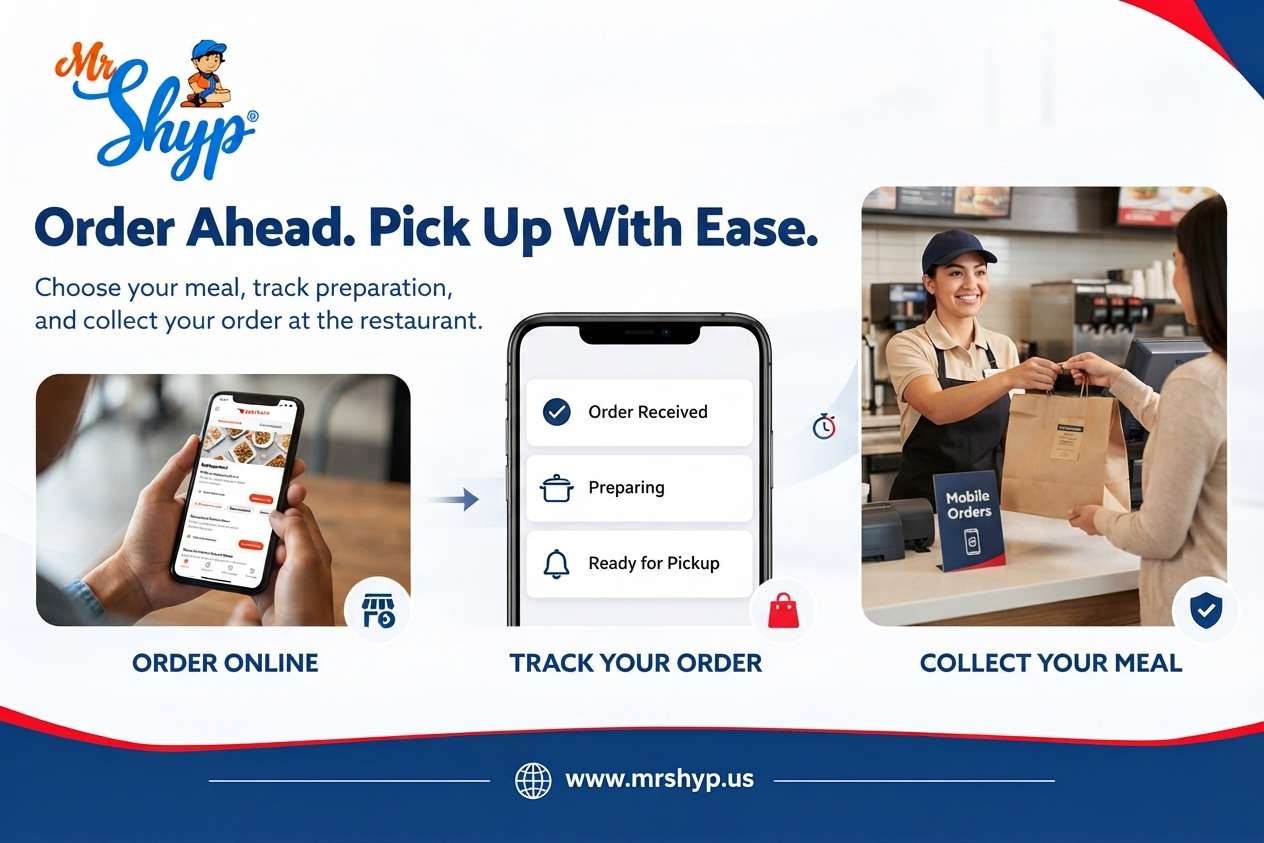
Progress Tracking: The restaurant will receive your order on its internal merchant tablets and begin preparing your food. You’ll be able to track the status of your order through the mobile application, as it shows “Order Received”, “Preparing your order”, and “Ready for pickup”.
-
Final Collection: Go to the restaurant and pick up your order from the designated pickup station or counter.
Door Dash Pickup vs. Delivery – Which One Should You Choose?
When choosing between door dash pickup and delivery, it’s important to understand the specific benefits that each method of receipt carries. While delivery is the more traditional and convenient option, door dash pickup is significantly more affordable and offers better food quality control and wait time management.
Cost
-
Delivery: Pay $0.00 in delivery fees. Standard delivery usually adds anywhere from $1.99 to $5.99+ for delivery charges
-
Service Fee: Minimal to none for self-collection; Standard 10% – 15%+ service fee for delivery orders
-
Gratuities: No tipping expected for pickup orders; Tip of $3.00 to $10.00+ recommended for delivery orders
Quality / Wait Time
-
Food Quality: Greater chance of warm, fresh food with self-collection; Slight risk of receiving cold or stale food with delivery
-
Average Wait: Between 10 – 20 minutes for self-collecting; 30 – 60 minutes for delivery
-
Line Skipping: Skip the long restaurant counter lines with an advance order
Extra Charges
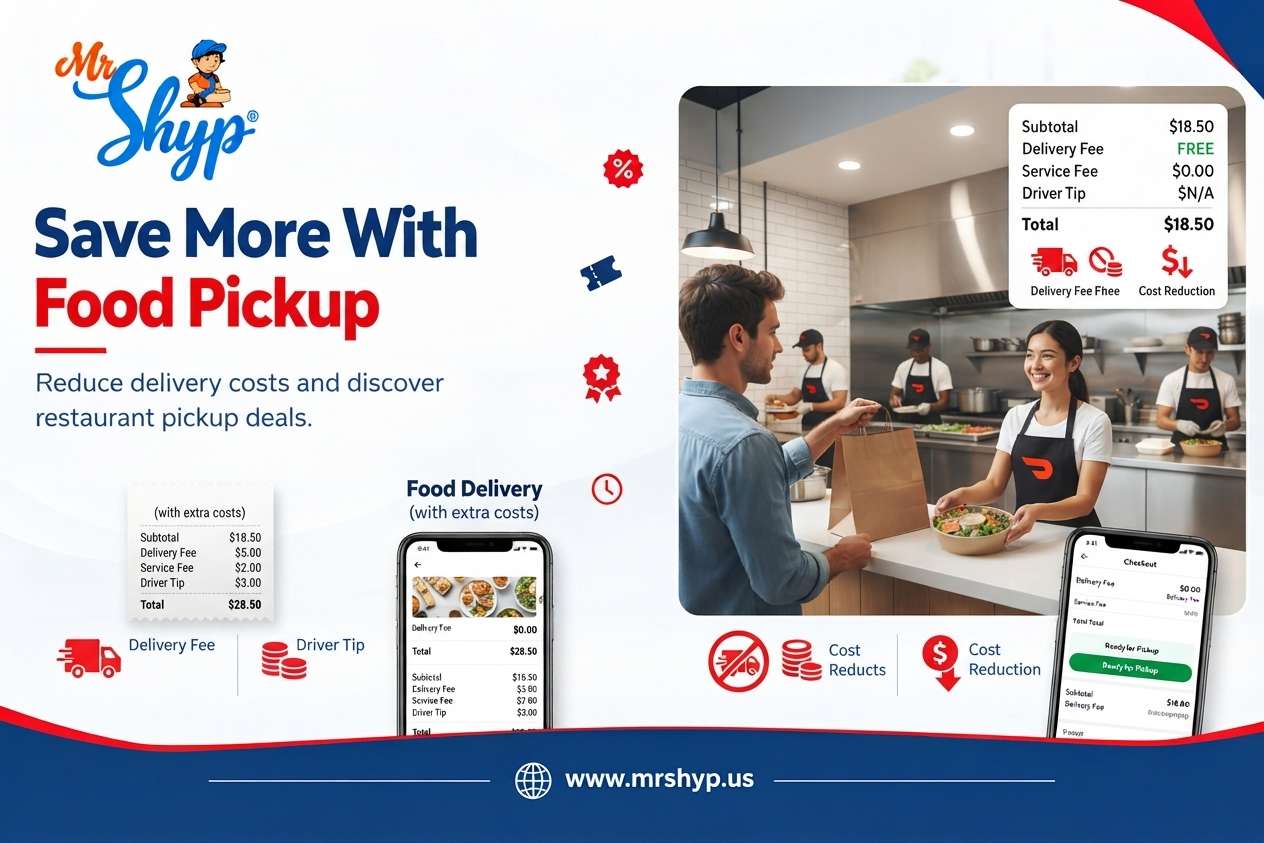
Another massive financial factor to consider when using the online delivery service is the amount of extra charges that come with delivery as a method of receipt. When you place a door dash pickup order, you only see the final cost of your selection without any additional line items.
With delivery, however, every single receipt looks something like this:
[Food Cost] + [Service Charges] + [Small Order Surcharge] (if applicable) [Delivery Charges] + [Dasher Tip]
Door dash pickup orders will automatically remove delivery charges and the need to leave a tip for the delivery person when they’re processed through the payment system.
Depending on the establishment you’re ordering from and the general cost of your food, pickup orders can save you as much as $5 to $15 per dinner order.
Those who take advantage of the program’s features and utilize it for their lunch and dinner routine can easily save hundreds of dollars per month.
Quickness and Temperature
If you’re ordering delivery during peak hours and your meal takes 20 – 30 minutes to reach your house, it will likely sit in an insulated container while the driver finds a parking spot, grabs another order from the same restaurant, or searches for a non-permitted delivery zone in your residential area.
When you place a pickup order, you have complete control over both the timing and the final temperature of your food. As soon as the app sends you a notification that your meal is ready, you can head to the restaurant and collect the warm, freshly-made food that you ordered.
What Are The Benefits Of Ordering Via The Door Dash Pickup Feature?
Beyond the financial and practical benefits of self-collection, there are a few other factors that set door dash pickup apart from traditional takeout and delivery.
Self-Service Pick Up Lines
During busy hours at popular restaurants, the long lines that stretch out the door can be absolutely crippling when you only have a short, 30 minute lunch break. By ordering via the mobile application, you can completely skip the pickup line at the front of the diner and instead go to the designated pickup shelf inside the eatery and hand over your name to receive your bag of food.
Special Offers and Promotions Exclusives
DoorDash offers special promotions and coupons for delivery throughout the year. Less people are aware of the fact that these promos also apply to door dash pickup. The online food delivery company runs weekly marketing campaigns that give customers:
-
15 – 30% off food orders
-
1 for 1 specials at select restaurant partners
-
DashPass rewards on takeout and delivery orders
Convenient, Visual Menus With Customization
When you call a restaurant to place an order for pickup, loud kitchens can make it challenging for you to communicate special requests.
With the company’s website and mobile application, you can view a picture of every single menu item and customize your order as needed. This will ensure that your special requests at the end of the order – such as a note for food allergies – are received clearly by the restaurant staff.
No Minimums for Small-Sized Orders
When placing delivery orders, customers who only purchase a small selection of food or drinks can get charged an additional small order fee if their cart total doesn’t reach a designated amount, such as $10 or $15.
With door dash pickup, you can order a single $3 coffee or a $5 snack without fear of an extra charge appearing on your credit card statement.
Door Dash Pickup Order Guide: How To Use The Application
Now that you understand the benefits of placing pickup orders through the online delivery system, it’s time to walk through the actual process of making an order.
This guide will walk you through how to place an order using both the mobile application and browser portal for a self-serve pickup.
Find a Restaurant That Offers Door Dash Pickup
-
Step 1: Toggle the header bar at the top of the screen from “Delivery” to “Pickup”. The app will display local places of interest that have pickup shelves or counters inside their establishment.
-
Step 2: Use the map feature to help you decide which diner you’d like to order from. You can search the directory by cuisine, distance, and average preparation time.
Choose Your Preferred Menu Items
-
Step 3: Select your favorite restaurant from the directory, and add items from their menu to your cart.
Before you head to the next step in the process, double-check the payment screen to make sure that your order method is switched to pickup, as indicated by a walking icon or automobile graphic.
Pay for Your Order
-
Step 4: Complete the payment process and review your order receipt. As mentioned in the previous section on financial benefits, your order will show that no delivery charges or gratuities apply to your order once it reaches the merchant’s end of the process.
The payment stage will transform into a progress tracker, notifying you when your order is:
-
Received at the restaurant
-
Being prepared by the staff
-
Ready for self-serve pickup at the designated station
Collect Your Door Dash Pickup Order
-
When you reach the end of the process, you will see a description of how to find the pickup counter at the restaurant. If there isn’t a specific shelf or station noted, you can ask a worker at the front of the establishment to direct you to the area where self-collected customers can grab their bags of food.
Ordering Door Dash Pickup As Part Of Your Regular Routine
When you integrate the pickup feature into your regular routine as part of your lunch schedule or family meal planning, you can make your experience at the restaurants you frequent even more enjoyable.
Here are some common scenarios where you can use the self-serve collection feature to your advantage.
The Commute-Home Drop
If you drive home from work and pass by a restaurant on your way, place an order 15 minutes before you expect to reach the eatery. Self-collection orders tend to be fulfilled and placed on the pickup counter at the restaurant faster than delivery orders, as the staff doesn’t have to worry about adding the food to a delivery bag and finding a way to transport it to a customer’s house or apartment.
Lunch Break Maximization
A short 30 minute or 45 minute break isn’t long enough to spare for waiting in line at the local diner or even ordering through a drive-thru. By placing an order in advance through the application, you can simply walk up to the front counter at noon and collect the food that you’ve already paid for.
Outings and Family Needs
If you’re hosting a family function, taking your children to practice, or participating in an outdoor activity, placing food orders for multiple people can get confusing if you have to call every person’s number and coordinate a pickup time.
Door dash pickup group orders allow you to order everyone’s meals at once, and make sure that every individual’s dietary restrictions and topping preferences are accounted for without having to ask for 10 separate drink orders and food combinations.
Navigating The Application And Locating Your Favorite Restaurants
To make ordering as efficient as possible, it’s important that you understand how to navigate the map interface and locate your favorite dining destinations. This is especially important if you’re using the self-serve feature as a part of a larger meal planning session.
Understanding the Map Radius Limits
When using the “Find restaurants near me” feature within the Door Dash window, the default settings will show places of interest near your current location. However, if you’re visiting friends or traveling somewhere new and want to place an order for the next day, you can move the pin to your desired destination.
You can also change the size of the radius by dragging the arrow at the end of the radius line.
Filtering By Preparation Time and Dietary Restrictions
If you’re a busy person who wants to maximize your lunch break or you’re short on time and can only spare 15 minutes before your next meeting, filtering the map by restaurants with fast preparation times will help you to find the perfect eatery for your schedule.
The dietary filters help vegetarians, vegans, and people with severe allergies to find restaurants that serve food that they can eat without risking a negative reaction.
Group Ordering Tips for Restaurants, Rooms, and Households
Group orders are a fantastic tool for coworkers, roommates, and friends who all want to eat at the same place, but don’t have the time or capacity to place independent orders through the application. The online delivery company has a built-in group order function that allows multiple people to contribute to an order at once.
How Group Orders Work
Start by choosing a restaurant, and then navigating to the group order section of the application. From here, you can share a link to the order page with your friends, family members, or coworkers.
Each person who visits the link will be able to select the food items and customize the order as they see fit.
As the host, you’ll be responsible for reviewing the entire order and making a single payment on the receipt, which will be sent to all of the people who contributed to the order.
Creating a group order for pickup will eliminate confusion between party members about who paid for what, and lets everyone get their food at the same time if they’re ordering from the same store.
Making The Most Of Your Spending With Door Dash Pickup
The combination of the online delivery platform and pickup feature offers incredible financial benefits for regular restaurant-goers who want to eat out without emptying their wallet in the process.
Here are some of the financial perks of utilizing these services together:
DashPass: Monthly Subscription Bonuses
The Dash Pass subscription is a monthly membership that gives you rewards when you use the online delivery system. While most members choose the delivery option, you can also take advantage of the 5% cash back on door dash pickup orders.
Every time you place a pickup order as a Dash Pass member, you’ll be earning store credit toward future meals that can be used on food and drinks at local restaurants.
Bonus Promotions and Offers for Pickup Users
While delivery-exclusive promotions dominate the marketing space for the online food delivery company, members who select the door dash pickup option will see special bonuses and discounts from participating restaurants on an annual basis, such as free appetizer samples, seasonal discount codes, coupons, and more.
Combining Credit Card Perks and Subscription Bonuses
Certain credit card companies offer complimentary Dash Pass memberships and monthly bonuses on customer accounts.
By taking advantage of the credit card rewards program and the door dash pickup rewards system, you can enjoy months of free or discounted meals at your favorite restaurants.
Frequently Seen Issues With Door Dash Pickup and Their Solutions
The door dash pickup method offers countless benefits to customers. Still, there might be instances where your pickup order doesn’t go as smoothly as you intended.
Here are some common problems with the system and how to solve them:
My Food Was Cold / Late
-
Likely Solution: Late or cold food means the kitchen took too long to prepare your order.
-
Before leaving your house, double-check the order status screen within the app to make sure that the order was fulfilled and has reached the pickup counter at the restaurant.
I Missed / Received The Wrong Items
-
Likely Solution: Kitchen staff accidentally missed items on your order.
-
Before leaving the restaurant, you can double-check the contents of your bag against the items on your order. Alternatively, you can visit the Door Dash App Help tab to request a credit for the error.
I Can’t Find The Shelf Where I Can Pick Up My Order
-
Likely Solution: The restaurant does not have a clear indication of where pickup orders should be placed.
-
Go to the front counter and tell the cashier or hostess that you’re collecting a Door Dash order. They will be able to direct you to the correct pickup station.
I Accidentally Placed a Delivery Order Instead of a Pickup Order
-
Likely Solution: You clicked on the delivery tab instead of the pickup tab.
-
Cancel the order in the app’s help tab before the kitchen begins preparing your food. If the order is already being prepared, you can call the restaurant and ask them to cancel the delivery and switch it to a door dash pickup order.
The Environmental and Business Impact of Door Dash Pickup
Choosing to door dash pickup your food at the local eatery instead of receiving it in the comfort of your house has a positive impact on both the environment and the business owners.
When you select the door dash pickup option, you’re reducing the amount of single-passenger travel that goes toward food delivery. Delivery drivers also incur expenses related to idling while waiting for food to be prepared at the restaurant.
As a customer who selects the door dash pickup option, you’re helping to reduce the overall carbon footprint of food delivery and supporting local businesses at the same time by removing the need for delivery drivers and related expenses.
Door Dash Pickup For Businesses and Restaurant Owners
The door dash pickup method benefits both consumers and local business owners who utilize the online delivery company. Restaurant owners reap the rewards of increased exposure, higher customer retention rates, and overall greater food sales when their establishment is added to the directory of pickup partners.