


Introduction
Returning an online purchase doesn’t have to be stressful. Many shoppers are looking for faster and more convenient ways to handle returns without dealing with shipping labels, boxes, or trips to the post office. That’s where Happy Returns comes in.
If you’re wondering How to Drop Off Your Return with Happy Returns, you’re in the right place. Happy Returns offers a simple, package-free return process that makes returning eligible products quick and hassle-free. Instead of printing labels and packing items, customers can visit a nearby Return Bar, show a QR code, and complete their return in minutes.
In this guide, we’ll explain everything you need to know about Happy Returns, including how it works, where to find locations, common issues, benefits, and answers to frequently asked questions.
Happy Returns allows you to drop off your return at a nearby participating retail location instead of shipping it back. It’s a fast, convenient, and box-free return process. Simply bring your item to any Happy Returns location and receive your refund quickly.
What Is Happy Returns?
Happy Returns is a return management platform that helps customers return online purchases quickly and conveniently. The company partners with hundreds of retailers to provide package-free returns through a network of physical drop-off locations called Happy Returns Return Bars.
Instead of packaging an item and mailing it back, shoppers can simply start a return online, receive a QR code, and bring the item to a Return Bar location.
Benefits for Customers
- No shipping labels required
- No printer needed
- Package-free returns for eligible items
- Faster refund processing
- Convenient return locations
- Reduced shipping waste
Benefits for Retailers
- Improved customer satisfaction
- Lower return shipping costs
- Faster return processing
- More sustainable return logistics
How It Works
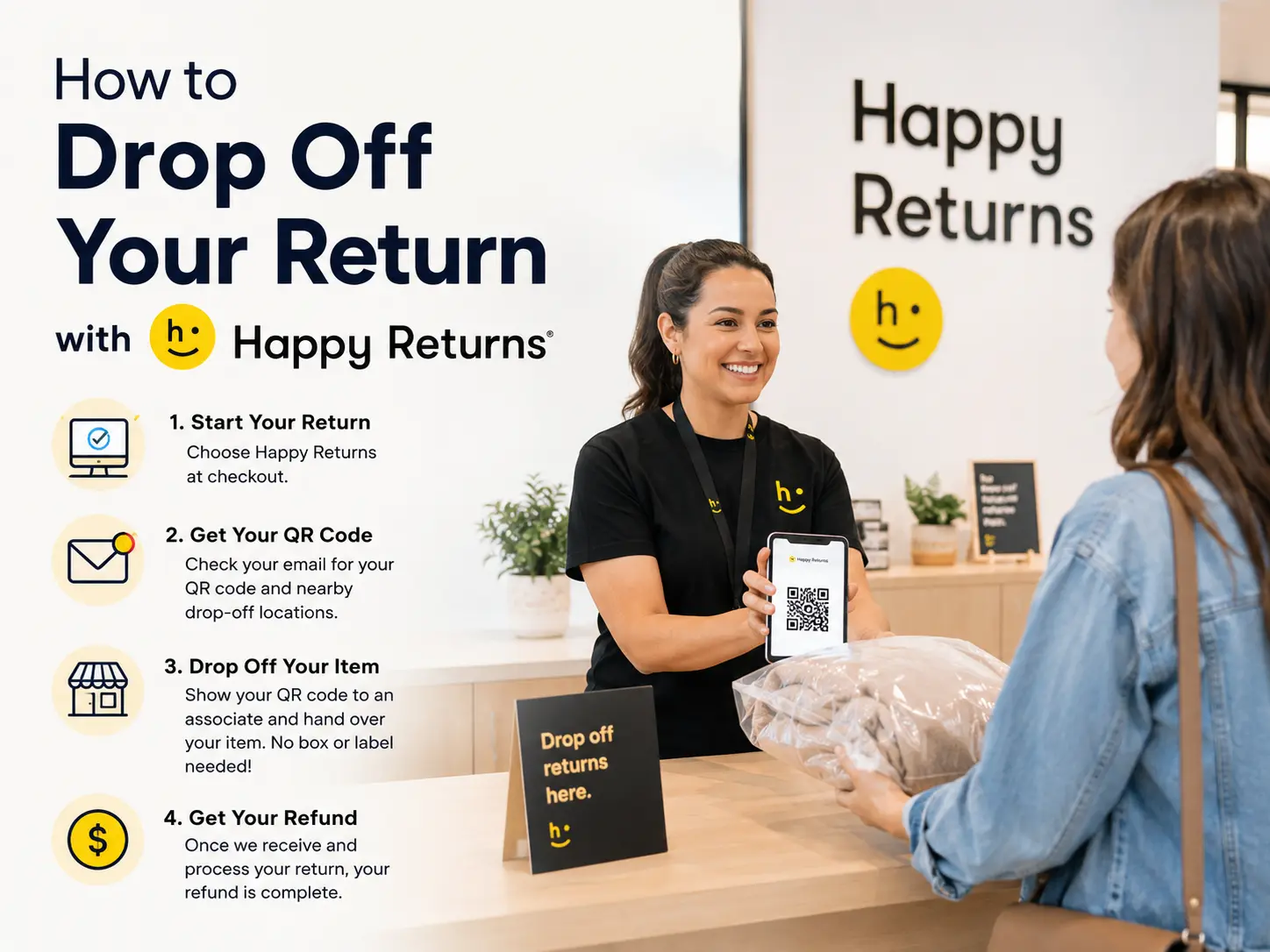
Step 1: Select Happy Returns
When starting your return, choose “Happy Returns” as your return method. Then select “Instant Refund” as your refund option.
Step 2: Receive Drop-Off Information
After initiating your return, you will receive a confirmation email from us. The retailer will also send you a QR code along with a list of nearby Happy Returns locations. You will need both for your drop-off.
Step 3: Drop Off Your Item
You have 7 days from the date you start your return to drop off your item at any Happy Returns location. Simply show your QR code to the associate and hand over your item—no box or shipping label is required.
Step 4: Refund Completion
Once your item is received and processed, your refund will be finalized. You will be able to see the updated status in your account.
Important Information
7-Day Deadline:
Returns must be dropped off within 7 days of starting the process. If this timeframe is missed, the instant refund will be canceled.
Any Location Works:
You may drop off your return at any Happy Returns location—not necessarily the one nearest to you.
Find Locations & QR Code:
Check your confirmation email from the retailer or visit:
https://locations.happyreturns.com/
Frequently Asked Questions
I can’t find my QR code or location list.
Please check your confirmation email from the retailer. It contains your QR code and nearby drop-off locations. You can also view all locations at:
https://locations.happyreturns.com/
Can I switch to shipping instead?
It depends on your selected refund method:
If your refund was issued to your original payment method (OFP), the return method cannot be changed. You must proceed with the current option.
If your refund was issued to a Reshop Card, bank account, or your own card, you can cancel the return and create a new one with the retailer using the shipping option. Note that canceling will temporarily reverse your refund.
I dropped off my item but the status hasn’t updated.
Happy Returns updates are sent after the drop-off is processed. If your status hasn’t changed within 24–48 hours, please contact support with your drop-off receipt or details such as time and location for further assistance.
Can I use my order number instead of the QR code?
Yes. You can present the QR code on your phone, a printed copy, or simply provide your order number to the associate. Keeping your order number available is recommended as a backup.